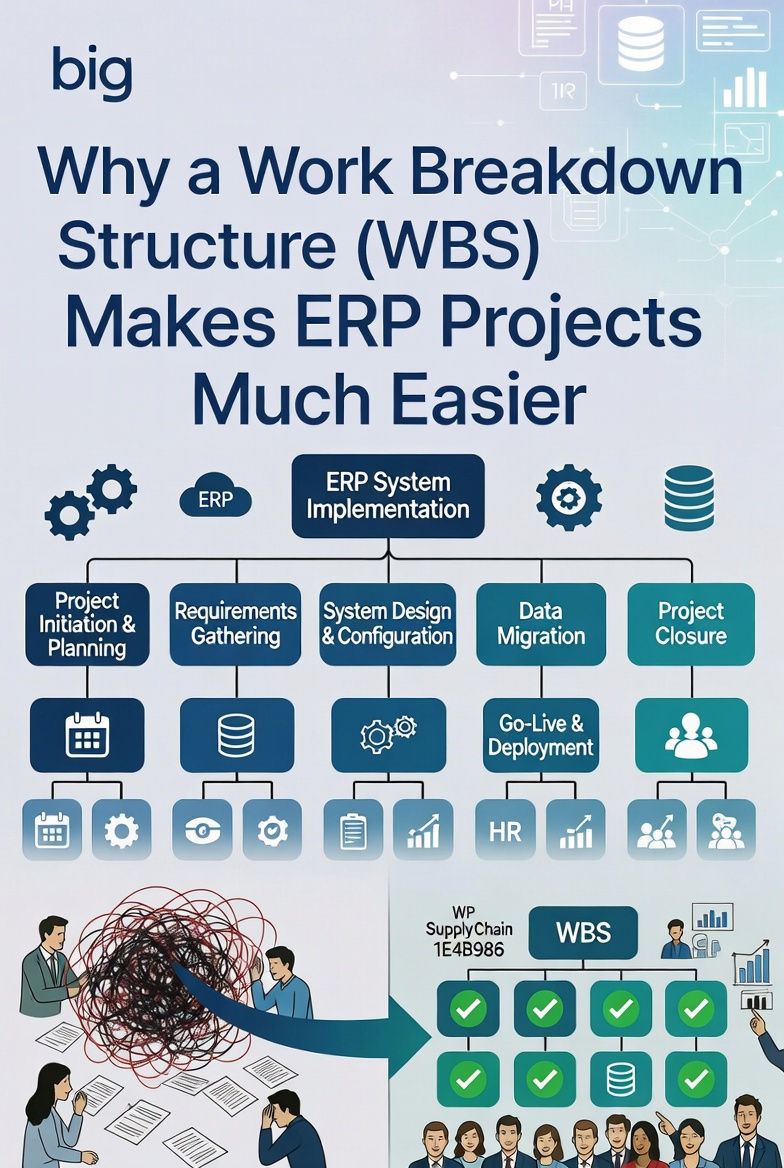
Why a Work Breakdown Structure (WBS)
Makes ERP Projects Much Easier
Developing a Work Breakdown Structure (WBS)
is one of the most important steps before (and during) an ERP system implementation.
ERP projects are complex, risky, and expensive. They touch many departments and usually include tasks like gathering requirements, improving processes, moving data, making custom changes, updating workflows, training users, and connecting systems.
A good WBS turns all of this complexity into clear, manageable pieces. It helps lower the chances of scope creep, going over budget, falling behind schedule, or even failing completely.
Why a WBS Is So Important for ERP Implementation?
A WBS is simply a step-by-step breakdown of the whole project. It organizes the total scope into smaller, manageable deliverables and work packages. It follows the 100% rule — meaning it includes everything needed, and nothing extra. It should also follow the MECE principle (Mutually Exclusive and Collectively Exhaustive) so nothing is missed or repeated.
Key benefits in an ERP project include:
-
Clear Scope Definition — It helps everyone clearly say exactly what the project will deliver (and what it won’t). This keeps business goals and the implementation plan perfectly aligned.
-
Better Planning and Assessment — You break the project into phases (such as planning, design, configuration, data migration, testing, go-live, and support afterward) and smaller work packages. This makes scheduling, assigning people, and estimating costs much more accurate.
-
Stronger Control and Tracking — You can easily monitor progress, spot risks early, and handle changes smoothly.
-
Better Communication and Accountability — It makes it easy to assign clear responsibilities to teams or vendors so everyone knows who does what.
-
Easy Tool Integration — Most modern ERP systems and project management software already support WBS, so you can track everything in one place.
When planning is weak, ERP projects often fail or run way over budget. A solid WBS fixes this by giving you a clear roadmap of all the work.
Typical WBS for an ERP Implementation
Here’s a simple high-level example (you’ll need to break each item down into more detailed work packages later):
-
Project Initiation and Planning
-
Define objectives and scope
-
Form the project team and governance structure (steering committee)
-
Risk assessment and vendor selection
-
-
Requirements Gathering and Analysis
-
Requirements Interviews (As-Is vs. To-Be)
-
Business Process Mapping (Current vs. Target State)
-
Gap Analysis
-
Data Requirements
-
-
System Design and Configuration
-
System Installation/Setup
-
Module Configuration (Finance, Human Resources, Manufacturing, Supply Chain, etc.)
-
Customization and Integration
-
-
Data Migration
-
Legacy Data Cleanup and Verification
-
Validation of New and Legacy Coding Rules
-
Data Migration Testing
-
-
Testing
-
Unit Testing, Integration Testing, and User Acceptance Testing (UAT)
-
Performance and Security Testing
-
-
Training and Change Management
-
User Training Plan
-
Organisational Change Activities
-
-
Go-Live and Deployment
-
System Cutover Planning
-
Post-Go-Live Support (Hypercare)
-
-
Project Closure
-
Final Documentation
-
Lessons Learned
-
Handover to Operations
-
You can build the WBS around deliverables (usually the best choice for ERP projects), phases, or a mix of both.
Tips for Creating an Effective WBS
-
Get key stakeholders involved early — include end users, IT staff, senior managers, and any vendors or consultants.
-
Use helpful tools like Microsoft Project, Excel, mind-mapping software, or the project modules built into your ERP system.
-
Focus on deliverables rather than just activities whenever possible.
-
Check the WBS against your project charter and improve it as you go.
-
Don’t make it too detailed at the beginning. Only break it down to the point where you can assign work packages, give realistic estimates (usually 8–80 hours), and track them easily.